44% of UK hospitality brands can’t track bookings or conversions from their paid social campaigns (State of Social 2026). That means almost half the industry is spending on TikTok and Meta ads without knowing which campaigns actually drive reservations.
This isn’t a strategy problem. It’s a technical one. And it’s fixable for most booking platforms.
The root cause is simple: your ad tracking pixel (TikTok Pixel, Meta Pixel, or GA4 tag) lives on your website. But when a customer clicks “Reserve” or “Book Now,” they’re typically handed off to a third-party booking platform, either via a redirect to that platform’s domain or inside an iframe embedded on your page. Your pixel can’t follow them across that boundary. The booking confirmation fires on someone else’s domain, so your ad platform never sees it.
How you fix this depends entirely on which booking platform you use.
The Three Levels of Tracking
Before diving into each platform, it helps to understand the three approaches available. The biggest factor most guides overlook is cookie consent. Under UK GDPR, client-side tracking pixels (TikTok Pixel, Meta Pixel, GA4) require explicit opt-in consent before they fire. Typical consent rates in the UK are 40-60%, which means any tracking method that relies on a pixel in the browser is invisible for a large share of your visitors. Server-side tracking, where your server sends the event directly to TikTok or Meta without involving the user’s browser, doesn’t depend on cookies or browser-side consent mechanisms. No cookies are set on the user’s device, and ad blockers can’t intercept the event. The legal requirements around processing personal data for advertising purposes still apply, but the practical limitations that affect client-side tracking (consent banners, ad blockers, browser restrictions) don’t.
From best to worst:
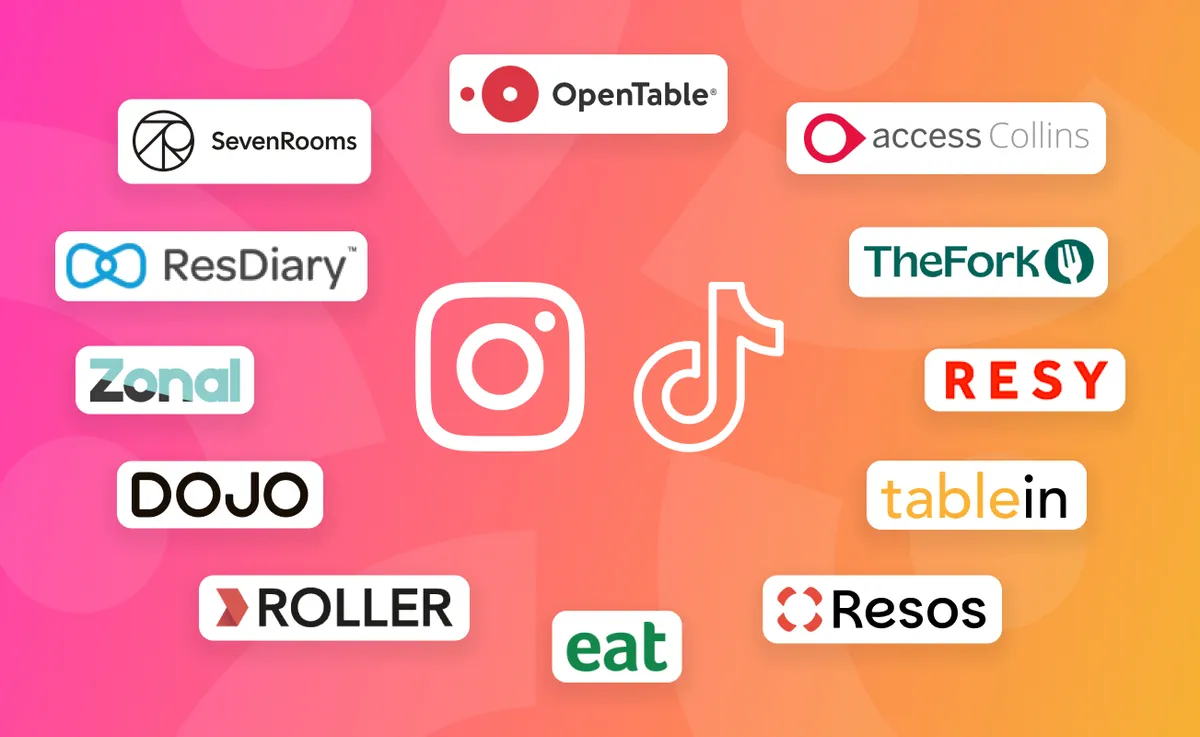
Level 1: Server-side tracking via webhooks. Your booking platform sends a webhook when a reservation is confirmed. A service you control (a Cloudflare Worker or similar) receives that webhook and forwards the event to TikTok’s Events API or Meta’s Conversions API. This tracks actual confirmed bookings, works for every visitor regardless of consent choices or ad blockers, and runs entirely server-to-server. It requires setup, but it’s the most accurate method available. Platforms with webhook support include SevenRooms, ResDiary, Collins (via API), TheFork (via API), Eat App (via API), Resos (via API), and ROLLER.
Level 2: Client-side confirmed booking tracking. The booking platform either fires your pixel automatically (ROLLER), redirects the user to a confirmation page on your domain where your pixel fires (ResDiary, Collins), or fires JavaScript events that GTM or Cloudflare Zaraz can catch (SevenRooms, Eat App). These all track actual confirmed bookings. For most hospitality businesses, this is the most practical starting point because it doesn’t require developer involvement. The trade-off is that client-side tracking depends on the user accepting cookie consent and not using an ad blocker, so some conversions will go untracked. Combining client-side tracking with server-side tracking (Level 1) gives you the most complete picture.
Level 3: Booking button tracking. You fire a tracking event when the user clicks your “Reserve” button, before they leave your domain. This captures booking intent, not confirmed bookings. The conversion rate from button click to confirmed booking will vary, so treat the data as directional rather than precise. Booking button tracking is a useful starting point, especially for platforms where confirmed booking tracking isn’t available yet. It gives your ad platform a signal to work with, which is significantly better than no tracking at all. Where possible, work towards confirmed booking tracking (Level 1 or Level 2) for more accurate attribution.
Tracking Tools
Google Tag Manager (GTM) is the most widely supported tool for setting up booking tracking. Several of the platforms in this guide (SevenRooms, Eat App, ResDiary, and Collins) have GTM integration paths, and GTM is often the quickest way to get tracking working. The platform-specific setups in this guide are mostly GTM-based.
That said, all client-side tracking tools (GTM included) share the same limitations: ad blockers can prevent scripts from loading, and cookie consent requirements mean pixels won’t fire for users who decline. These aren’t GTM-specific problems. They apply to any tracking pixel running in the browser.
If you’re on Cloudflare, there are server-side alternatives that avoid these browser limitations. And if you’re setting up server-side tracking via webhooks, you don’t need GTM at all. The events are sent directly from your server.
Cloudflare Zaraz
If your website is on Cloudflare (including Cloudflare Pages), Zaraz is a server-side alternative to GTM. It does the same job (fire events to TikTok, Meta, and GA4) but runs at the edge from your own domain, which avoids the browser limitations that affect client-side tracking.
- Free on all Cloudflare plans (up to 1M events/month).
- Native TikTok and Meta support. Add your Pixel IDs in the Zaraz dashboard and configure which events to fire.
- Zero JavaScript overhead. No third-party scripts load in the browser.
- Ad-blocker resistant. Events fire from your domain, server-side.
- Built-in consent management. Zaraz can gate events behind consent without needing a separate CMP.
- Custom events from booking widgets via
zaraz.track(). If your booking widget fires a JavaScript event on confirmation (SevenRooms, Eat App), Zaraz can listen for it.
If your site is already on Cloudflare, Zaraz requires no additional tools or accounts to get started.
Cloudflare Workers (Webhook Relay)
A Cloudflare Worker can receive booking webhooks from platforms like SevenRooms, ResDiary, and ROLLER, then call TikTok’s Events API and Meta’s Conversions API directly. A single Worker handles both platforms.
- Free tier: 100,000 requests/day.
- First-party domain: events come from
yourdomain.com/track, not a third-party server. - Simple: a Worker that receives a webhook, formats the data, and POSTs to two API endpoints is roughly 50-100 lines of code.
If you’re already on Cloudflare and your booking platform supports webhooks, this avoids needing any additional services or accounts.
Zapier (No-Code Option)
Zapier has a native TikTok Conversions app. Set up a webhook trigger that receives booking data from your platform, and Zapier fires the event to TikTok’s Events API. Free for TikTok events (up to 100,000 tasks/month on the free plan).
Zapier can work as a way to test whether server-side tracking is worth investing in for your business. The setup is quick and lets you validate the approach before committing to a more permanent solution. Limitations to be aware of: latency on the free tier, no client-side deduplication, and webhook-based Zaps can be fragile if you’re relying on them long-term.
Make.com
Similar to Zapier with a native Meta Conversions API app. TikTok support is less mature. Core plan is roughly $10/month. Like Zapier, this works as a test setup to validate the approach before building something more permanent.
Stape.io (Managed Server-Side GTM)
If you want GTM’s familiar interface but with server-side benefits, Stape hosts a server-side GTM container at a subdomain like track.yourdomain.com. Events fire from your domain, which helps with ad blockers.
- Server-side GTM: $20/month.
- Standalone TikTok Gateway: $10/month per pixel.
- Custom Loader: serves GTM scripts from your own domain, which helps with ad blocker issues for client-side GTM too.
Adds monthly cost, but keeps the GTM ecosystem if your team already knows it.
A note if you’re running both TikTok and Meta ads: you don’t need separate tracking setups for each platform. A single GTM trigger can fire both your TikTok Pixel tag and Meta Pixel tag. A success page or return URL fires all pixels on the page. A server-side webhook relay can send the same booking event to both TikTok’s Events API and Meta’s Conversions API. Set up the tracking method once, and it works for both.
Platform-by-Platform Guide
OpenTable
Native Meta Pixel and Google Ads. Booking button tracking for TikTok.
OpenTable offers two built-in ad tracking integrations:
- Meta Pixel: self-service. Go to the Integrations tab in OpenTable for Restaurants, enter your Meta Pixel ID, and OpenTable fires pixel events through the booking flow.
- Google Ads: requires your OpenTable Account Manager to set up. They enter your Google Conversion ID and Conversion Value to enable tracking.
OpenTable also mentions a “custom ad tracking” option for other platforms, where reservation event data is sent back to your website for a developer to integrate. In practice, documentation on this is limited and it’s unclear how widely it’s used.
When a guest books through the OpenTable iframe widget, the booking flow runs on OpenTable’s domain. You can’t add your own tracking tags inside the iframe, so only the native integrations configured via the dashboard (Meta Pixel, Google Ads) will track within the booking flow.
For TikTok, your options:
- Success page redirect: when using the OpenTable widget as a button link (not an embedded iframe), the widget can redirect to a confirmation page on your domain after booking. Place your TikTok Pixel on that confirmation page. Configuration depends on your widget setup.
- Booking button tracking (fallback): fire a TikTok Schedule or ClickButton event when users click your “Reserve on OpenTable” button on your own website. This tracks intent, not confirmed bookings.
Recommendation: set up the native Meta Pixel integration immediately (self-service, takes 5 minutes). For Google Ads, contact your OpenTable Account Manager. For TikTok, use booking button tracking as a starting point.
SevenRooms
GTM/Zaraz event listeners for confirmed bookings.
SevenRooms doesn’t have a self-service pixel integration, but its booking widget fires JavaScript events that you can catch via Google Tag Manager or Cloudflare Zaraz. The key event is successfulCheckout (note: lowercase ‘s’, uppercase ‘C’). To set this up, contact your SevenRooms account manager.
Important: how the widget loads matters. SevenRooms has several integration modes. The popup/overlay mode (the default, triggered via their embed.js script) opens the booking form as a modal on your page. The iframe mode (where the widget loads sevenrooms.com/explore/... inside an iframe) is more limited. SevenRooms fires some Meta Pixel and Google Analytics events from inside the iframe, but these depend on third-party cookies working in an iframe context, which Safari blocks and Chrome is restricting. You can also link directly to SevenRooms’ hosted booking page. The GTM event listener approach described below works with the popup/overlay mode.
Setup via GTM:
- Contact your SevenRooms account manager and ask them to install your GTM container inside their widget. Provide your GTM container ID. SevenRooms needs to do this on their end, as you can’t inject GTM into the widget yourself
- Once SevenRooms has installed your container, create a new Trigger in GTM of type “Custom Event”
- Set the event name to
successfulCheckout(case-sensitive: lowercase ‘s’, uppercase ‘C’) - Create a new Tag for your TikTok Pixel (or Meta Pixel) that fires the Schedule or Purchase event
- Set the trigger to the custom event you just created
- Publish your GTM container
Note that SevenRooms fires the successfulCheckout event as a browser event rather than a standard dataLayer.push(), but GTM’s custom event trigger catches it regardless.
Setup via Cloudflare Zaraz: Zaraz can listen for the successfulCheckout event if the widget fires it within your page context. Add a custom trigger and configure your TikTok and Meta tools to fire on it.
Note that client-side tracking (whether via GTM or Zaraz) won’t fire for users with ad blockers or those who decline cookie consent.
Server-side option: SevenRooms has a webhook API that can push reservation confirmed events. If you’re on Cloudflare, a Worker can receive the webhook and forward the event to TikTok’s Events API and Meta’s Conversions API. This gives you server-side tracking that bypasses browser limitations entirely.
Recommendation: set up the event listener via GTM or Zaraz. It takes 15-20 minutes. If you’re spending significantly on paid social, add the webhook integration for server-side tracking.
ResDiary
Success page redirect for confirmed bookings.
ResDiary lets you redirect users to a confirmation page on your own domain after they complete a booking. This means your TikTok Pixel, Meta Pixel, and GA4 tag all fire on the confirmation page, tracking actual confirmed bookings.
Important: the success page redirect only works when the widget uses the standard embed method, not the iframe embed. If your ResDiary widget is embedded as an iframe, the redirect won’t work correctly. Check your embed code or ask ResDiary support to confirm which method you’re using.
Setup steps:
- In ResDiary, go to Promote > Widget Configurator > Edit theme > Theme Settings
- Tick “Use customer success page”
- Enter the URL of a confirmation page on your own website (e.g., yoursite.com/booking-confirmed)
- Create that confirmation page on your website with your TikTok Pixel, Meta Pixel, and GA4 tags installed (or let Zaraz handle it if you’re on Cloudflare)
- In TikTok Ads Manager (or Meta Events Manager), set up a conversion event triggered by visits to that URL
Alternative (without a success page): ResDiary also supports adding your GTM container ID under Settings > Reservations > Widget and Portal Tracking. GTM then runs on all widget pages. You can create a custom event trigger for /resdiary-widget/success to fire conversion tags (TikTok Pixel, Meta Pixel, GA4) when a booking is confirmed. This avoids needing a dedicated confirmation page and works for TikTok tracking too.
ResDiary has official support documentation for Meta Pixel and Google Ads conversion tracking using the success page method.
Server-side option: ResDiary has a Developer Hub with webhooks. You can register a webhook URL to receive booking notifications and forward them to TikTok’s Events API via a Cloudflare Worker, Zapier, or similar.
Recommendation: set up the success page redirect. It takes under 30 minutes to configure.
Collins (Access Collins / DesignMyNight)
Custom return URL for confirmed bookings.
Collins supports a custom return URL. After a booking is completed, the user is redirected to a page on your domain where your tracking pixels fire. Collins sends booking details (first name, last name, email, phone, party size, date, time, duration) to the return URL via POST, so your confirmation page can use this data for Advanced Matching with TikTok and Meta. A status field distinguishes confirmed bookings (complete) from enquiries (in_progress), so you can fire conversion events only for actual bookings. Your server needs to accept POST requests from the designmynight.com domain (HTTPS required).
Setup steps:
- In Collins admin settings, configure a custom return URL (your confirmation page)
- Create the confirmation page on your website with your TikTok and Meta Pixel tags (or let Zaraz handle it)
- Your server-side code can read the booking details from the POST data and pass hashed values to your pixels for Advanced Matching
GA4 tracking: Collins has native GA4 support via a GTM integration. Under Settings > Site > Booking Widget & Links, you can add your GTM container ID. The widget then fires standard GA4 ecommerce events through the booking funnel: view_item_list (viewing booking types), view_item (viewing a single type), add_to_cart (selecting a time), begin_checkout (entering checkout), and purchase (completing a booking). You still need to configure GTM to forward the ecommerce data to GA4.
The Collins widget loads via a script tag. On desktop, the booking form may open as a modal. On mobile, it typically redirects. The custom return URL works in both cases for post-booking tracking.
API option: Collins has a Booking API at api.collinsbookings.com (REST endpoints, Bearer token authentication). API access costs around £50/year per site. You can use it to query bookings and relay data to TikTok’s Events API, though it requires polling rather than push-based webhooks.
Recommendation: set up the custom return URL. Straightforward and reliable.
TheFork (LaFourchette)
No native pixel support. Webhooks and API available via partnership.
TheFork’s widget operates as an iframe on desktop and a redirect on mobile. Booking completion happens within TheFork’s environment. There is no success page redirect and no native pixel support for TikTok or Meta. TheFork Manager has a Google Analytics field, but this is limited to GA tracking within the iframe.
However, TheFork’s B2B API (docs.thefork.io) offers more than most guides suggest:
- Webhooks: TheFork can send
reservationCreatedandreservationUpdatedevents to an endpoint you provide. Each payload includes a reservation UUID, restaurant UUID, and group UUID. You can then call TheFork’s API to fetch the full reservation details and forward the event to TikTok’s Events API or Meta’s Conversions API. This is server-side confirmed booking tracking. - Custom booking funnel: TheFork’s API supports real-time availability lookups and reservation creation, so you can build your own booking flow on your domain (the same pattern as the custom API flows described later in this article).
Access requires a partnership agreement. TheFork provides a client_id and client_secret via Auth0 for API authentication.
Your options in order of quality:
- Server-side via webhooks (if you have API access): receive
reservationCreatedwebhooks and forward to TikTok Events API / Meta CAPI via a Cloudflare Worker or similar. Tracks confirmed bookings. - Custom booking flow via API (if you have API access and developer resources): build your own checkout on your domain using TheFork’s availability and reservation endpoints.
- Booking button tracking (no API access needed): fire a tracking event when users click your “Book on TheFork” button. This captures intent, not confirmed bookings.
Recommendation: if you can get API access from TheFork, the webhook integration gives you confirmed booking tracking. Otherwise, booking button tracking plus offline attribution.
Resy
Booking button tracking.
Resy’s booking widget redirects users to resy.com to complete the reservation. The confirmation page is on Resy’s domain, so tracking on your own site is limited to capturing intent before the handoff.
Your options:
- Booking button tracking: fire a TikTok Schedule or ClickButton event when users click the “Reserve on Resy” button on your website. This tracks intent, not confirmed bookings.
- Offline attribution: use TikTok-specific promo codes redeemable in-venue and cross-reference with Resy’s own reporting for booking volumes.
- API (restricted access): Resy has API and webhook capabilities, but access requires partnership status and is not publicly documented. If you’re a large group, it may be worth requesting API access.
Recommendation: booking button tracking plus offline attribution.
Dojo
Booking button tracking. Reservations API and payment webhooks with developer access.
Dojo’s booking widget doesn’t support client-side pixel tracking. However, Dojo has a developer portal (developer.dojo.tech) with two relevant capabilities:
- Reservations API: endpoints for creating, updating, searching, and retrieving reservations. The documentation describes this as an EPOS integration, but the endpoints themselves (e.g.,
POST /v1/reservations,POST /v1/reservations/search) could be used to build a custom booking flow on your own domain if you have API access. - Payment webhooks:
payment_intent.status_updated,payment_intent.created, andpayment_intent.send-receiptevents. If your venue takes deposits for bookings, the payment webhook gives you a confirmed booking signal that you can forward to TikTok’s Events API or Meta’s Conversions API.
Both require developer involvement and API access from Dojo.
Recommendation: booking button tracking for most businesses. If you have developer resources, explore the Reservations API for a custom booking flow, or use payment webhooks if you take deposits.
Zonal
Booking button tracking.
Zonal’s booking system does not currently expose tracking pixel capabilities or a publicly documented webhook API for booking events.
Recommendation: booking button tracking is your only option for Zonal bookings.
Eat App
GTM event listeners for confirmed bookings.
Eat App has official documentation for tracking bookings via Google Tag Manager. The booking widget supports embedding a GTM container ID directly.
Setup steps:
- In Eat App, go to Setup > Customize your booking widget > Embedded tracking installation
- Paste your GTM code (both the head and body snippets). If you don’t see the “Embedded tracking installation” box, contact Eat App support to have it activated for your account
- In GTM, create a Custom Event trigger for the event name “Booking confirmed” (capital B, with a space)
- Create a TikTok Pixel tag (or Meta Pixel tag) that fires the Schedule or Purchase event
- Set the trigger to the “Booking confirmed” custom event
- Publish your GTM container
Eat App also has a Partner API (v2) for server-side integrations, with endpoints for checking availability and creating reservations. Contact Eat App for API credentials.
Server-side option: similar to SevenRooms, you can receive webhook events and relay to TikTok’s Events API via a Cloudflare Worker. The GTM approach is quicker to set up, but keep in mind that it won’t fire for users with ad blockers or those who decline cookies.
Recommendation: set up GTM tracking. Eat App’s documentation covers this well. Consider adding server-side tracking if you’re spending significantly on paid social.
Resos (resOS)
Native Meta Pixel. Booking button tracking for TikTok.
Resos has a Meta Pixel integration. Go to Menu > Settings > Integrations, choose “Facebook Pixel,” and enter your Pixel ID. Once activated, Resos tracks granular booking funnel events: booking start, party size selection, date, time, confirmation, and payment. It also supports UTM tags on all URLs on the restaurant’s resos.com domain.
For TikTok: no native integration. Use booking button tracking on your own site. Resos has a REST API that you could use to poll booking data and relay to TikTok’s Events API, but this requires custom development.
Recommendation: set up the native Meta Pixel immediately. For TikTok, use booking button tracking.
TableIn
Pixel tracking via Third-Party Integrations gateway.
TableIn supports adding tracking pixel code to the booking widget via Third-Party Integrations in your dashboard. Toggle “Enable Gateway,” add a title, and paste your pixel code. This works with any pixel code, including Meta Pixel, TikTok Pixel, and others. The widget tracks page views and completed reservations. You need the latest version of the widget to use this feature. There is no documented webhook or API.
Recommendation: update to the latest widget version and add both your Meta Pixel and TikTok Pixel code via Third-Party Integrations.
ROLLER
Native TikTok Pixel and Meta Pixel with full event support.
ROLLER has built-in support for TikTok Pixel, Meta Pixel, and GA4. It injects your pixel code into the checkout and automatically fires all supported events: page views, item views, add to cart, begin checkout, and purchase.
Setup steps:
- In Venue Manager, go to Apps > Progressive Checkouts > Settings > Web Tracking
- Paste your TikTok Pixel ID, Meta Pixel ID, and/or GA4 Measurement ID into the relevant fields
- Select Activate to save. ROLLER automatically starts sending events
GA4 is available on all plans. Meta Pixel and TikTok Pixel require the Pro plan or above. GTM is available on Premium and above (or as a paid add-on for Lite and Pro), which also enables server-side tracking via GTM. ROLLER also supports the Meta Conversions API via server-side GTM or webhooks, and has a webhook API for sending purchase events to TikTok’s Events API.
Recommendation: connect all three pixels in Venue Manager. Takes 5 minutes.
Summary Table
| Platform | Meta Pixel | TikTok Pixel | Best TikTok Method | Developer Needed? |
|---|---|---|---|---|
| OpenTable | Native | Via success page | Success page redirect | No |
| SevenRooms | Via GTM | Via GTM | GTM/Zaraz event listener | GTM knowledge |
| ResDiary | Via success page or GTM | Via success page or GTM | Success page redirect or GTM | No |
| Collins | Via return URL | Via return URL | Custom return URL | No |
| TheFork | No | Via webhooks | Webhooks to Events API (or booking button tracking) | Yes (for webhooks) |
| Resy | No | No | Booking button tracking | No |
| Dojo | No | No | Booking button tracking (or custom flow via API) | Yes |
| Zonal | No | No | Booking button tracking | No |
| Eat App | Via GTM | Via GTM | GTM event listener | GTM knowledge |
| Resos | Native | No | Booking button tracking | No |
| TableIn | Via gateway | Via gateway | Add pixel code in Third-Party Integrations | No |
| ROLLER | Native | Native | Connect in Venue Manager | No |
How to Set Up Booking Button Tracking (the Universal Fallback)
If your booking platform doesn’t support any of the methods above, or if you want a quick starting point while you set up confirmed booking tracking, booking button tracking works with every platform.
Booking button tracking captures the moment someone clicks your Reserve button, before they’re handed off to the booking platform. It tracks intent rather than confirmed bookings, so treat it as an approximate signal. It’s a useful starting point while you set up confirmed booking tracking, and it’s better than no tracking at all.
Via Cloudflare Zaraz:
- In the Zaraz dashboard, create a custom trigger that fires on clicks matching your booking button (by CSS selector, click text, or URL pattern)
- Configure your TikTok and Meta tools to fire the Schedule event on that trigger
- No code changes needed on your site
Via Google Tag Manager:
- Create a new Trigger of type “Click - All Elements”
- Set it to fire on clicks where the Click URL contains your booking platform’s domain (e.g., “resy.com,” “opentable.com,” or “thefork.com”), or where the Click Text matches your booking button text (e.g., “Reserve,” “Book Now”)
- Create a TikTok Pixel tag that fires the Schedule event on this trigger
- Create a Meta Pixel tag that fires the Schedule event on the same trigger
- Test using GTM’s Preview mode to verify the events fire when you click your booking button
- Publish your GTM container
Remember that GTM-based booking button tracking won’t fire for users with ad blockers or those who decline cookie consent. Zaraz avoids both of these issues.
A note on conversion rate estimation: if you’re using booking button tracking, check your booking platform’s reporting for total bookings over the same period. If your tracking event fires 200 times and your platform shows 120 confirmed bookings, your intent-to-booking rate is roughly 60%. But this ratio is unstable. It changes with time of day, day of week, platform availability, and seasonal demand. Don’t rely on it for precise attribution. It’s a rough guide, not a measurement tool.
How to Set Up Server-Side Tracking
As covered in the three levels above, server-side tracking is the most accurate method available. It captures every confirmed booking regardless of consent choices or ad blockers. Here’s how it works:
- Your booking platform fires a webhook when a reservation is confirmed
- A service (a Cloudflare Worker, Zapier, or similar) receives the webhook
- The service formats the data and sends it to TikTok’s Events API as a Schedule or Purchase event
- TikTok receives the confirmed booking event and can attribute it to the correct ad campaign
Platforms with webhook support: SevenRooms, ResDiary, Collins (via API), TheFork (via API), Eat App (via API), Resos (via API), and ROLLER.
The simplest implementation for most hospitality businesses:
- If on Cloudflare: a Worker that receives webhooks and calls both TikTok Events API and Meta CAPI. Free. First-party domain. ~50-100 lines of code.
- If you want to test the approach first: Zapier’s TikTok Conversions app with a webhook trigger can validate whether server-side tracking works for your setup before you invest in a more permanent solution.
- If you want GTM’s interface: Stape’s server-side GTM hosting ($20/month) or standalone TikTok Gateway ($10/month).
Pair server-side tracking with Advanced Matching (passing hashed email and phone number from the booking) for the highest match rate.
Building Your Own Booking Flow via API
Many larger hospitality groups don’t use off-the-shelf booking widgets at all. Instead of embedding a SevenRooms widget or redirecting to OpenTable, they build their own booking interface on their own website and use the booking platform’s API to create reservations in the background.
This solves the tracking problem entirely. The entire booking journey, from landing page to confirmation, happens on your domain. Your TikTok Pixel, Meta Pixel, Zaraz, or any other tracking tool fires normally at every step. There’s no cross-domain handoff, no iframe boundary, no third-party widget to work around.
How It Works
The pattern is the same regardless of which booking platform or website technology you use:
- Your frontend shows a booking form you control. The guest selects party size, date, and time on your website, using UI you’ve built. This looks and feels like part of your site because it is.
- Your backend calls the booking platform’s API. When the guest selects a date, your server makes an API call to the booking platform (e.g., ResDiary, SevenRooms) to fetch available time slots. The API credentials are stored on your server, never exposed to the browser.
- The guest confirms on your domain. They enter their details and submit. Your server creates the reservation via the API and shows a confirmation page on your site.
- Your tracking fires on the confirmation page. Because the confirmation page is on your domain, your TikTok Pixel, Meta Pixel, GA4, or Zaraz events fire normally. You have the guest’s details (name, email, phone, party size) available to pass as event parameters for Advanced Matching.
To see how this works in practice, look at how different businesses using the same booking platform get very different tracking outcomes depending on their integration approach.
A multi-site restaurant group using ResDiary might build custom REST API endpoints on their WordPress backend. When a guest selects a date and party size, the frontend calls their own server (e.g., /api/resdiary/availability), which calls ResDiary’s API with their credentials and returns available slots. The guest books without ever leaving the restaurant’s domain.
A venue using SevenRooms might build a multi-step booking form in React, with each step calling their own backend API (e.g., /api/sevenrooms/bookingAddOns). Because every step happens on their domain, they can fire TikTok Pixel and Meta Pixel events at each stage of the journey, not just the final confirmation. Their tracking setup captures interactions on each step, giving them a full funnel view: how many guests started booking, how many selected add-ons, how many confirmed.
Compare that to another venue using the same SevenRooms platform but with the standard iframe widget. When a guest interacts with the widget, SevenRooms fires some Meta Pixel and Google Analytics events from inside the iframe. But these events fire from sevenrooms.com’s domain within an iframe context, not from the restaurant’s own domain. They depend on third-party cookies working in the iframe, which Safari blocks entirely and Chrome is restricting. There’s also no TikTok Pixel equivalent firing from inside the widget. Same booking platform, but a fundamentally different level of tracking visibility because of the widget vs custom flow choice.
The Architecture
The key architectural detail is that your website’s backend acts as a proxy between your frontend and the booking platform’s API:
Guest's browser → Your website (frontend)
                        ↓
                  Your server (backend)
                        ↓
                  Booking platform API (ResDiary, SevenRooms, etc.)
Your server holds the API credentials securely. Your frontend only talks to your own backend, never directly to the booking platform. This means:
- API keys stay private. They’re stored as environment variables on your server, not in client-side code.
- You control the data flow. You can log bookings, trigger server-side tracking events, send confirmation emails, and update your CRM, all from the same backend that creates the reservation.
- You can fire server-side tracking at the point of confirmation. When your backend receives a successful booking response from the API, it can immediately send events to TikTok’s Events API and Meta’s Conversions API. This is Level 1 tracking without the browser limitations of client-side pixels, because the event is sent server-to-server.
What You Need to Build
A typical custom booking flow involves these components:
- Availability lookup: an endpoint on your server that takes a location, date, and party size, calls the booking platform’s API, and returns available time slots.
- Booking creation: an endpoint that takes the guest’s details and selected slot, creates the reservation via the API, and returns a confirmation.
- Frontend form: a multi-step form (party size → date → time → guest details → confirm) that calls your endpoints. This can be built in React, Vue, or plain JavaScript.
- Confirmation page: a page on your domain that displays the booking reference and fires your tracking events.
- Error handling: availability changes between when the guest views slots and when they confirm. Your flow needs to handle “slot no longer available” gracefully.
For a WordPress site, this typically means a custom plugin with REST API endpoints. For a Next.js or Astro site, it’s API routes or server functions. For a static site, a Cloudflare Worker or similar serverless function can act as the backend.
Which Platforms Support This
Several of the platforms covered in this guide offer APIs that support this approach:
- SevenRooms has a well-documented API for searching availability and creating reservations
- Collins offers a Booking API at api.collinsbookings.com (REST, Bearer token auth, £50/year per site)
- ResDiary has a Developer Hub with API access for availability checks and booking creation
- Eat App has a Partner API
- Dojo has a developer portal at developer.dojo.tech with a Reservations API (documented as an EPOS integration, but the endpoints support creating and searching reservations)
- ROLLER has a comprehensive API for the full booking flow
- OpenTable and Resy have partner APIs, but access is restricted and not publicly available to most independent operators
Is It Worth It?
The trade-off is development effort. You’re building and maintaining a booking form, handling availability logic, managing error states, and keeping the integration working as the platform’s API evolves. For a single-site independent restaurant, this is a significant investment for the tracking benefit alone. For a multi-site group spending meaningfully on paid media, where attribution accuracy directly affects budget allocation across dozens of locations, the return on that investment is much clearer.
You don’t need to build a full custom booking experience to get some of the benefit. Even a simple flow where your site collects the guest’s details, checks availability via the API, creates the booking, and shows a confirmation page on your domain gives you complete tracking control. If you’re already working with developers on your website, it’s worth asking your booking platform about API access.
What to Do Right Now
If you’re running TikTok ads or Meta ads for your restaurant, hotel, or bar, here’s the priority order:
- Check which booking platform you use and find it in the table above
- Set up the best available tracking method for that platform. If it’s a success page redirect or GTM/Zaraz event listener, do it today. It takes 15-30 minutes
- Choose your tracking tool. If you’re on Cloudflare, set up Zaraz. If you’re already using GTM, use GTM. If you’re starting fresh, Zaraz or a server-side approach will give you more reliable data
- Set up booking button tracking as a baseline while you implement confirmed booking tracking. Even an approximate signal is better than nothing
- Enable Advanced Matching on both your TikTok and Meta Pixels to improve attribution accuracy
- If you have developer resources, evaluate server-side tracking via webhooks and the Events API for the most accurate attribution
The 44% of hospitality brands that can’t track bookings from paid social aren’t spending less effectively than the other 56%. They just can’t prove it. Fix the tracking, and you’ll either confirm that your campaigns are working (justifying increased spend) or discover they’re not (saving you money). Either outcome is better than guessing.
Frequently Asked Questions
Why can't I track bookings from my TikTok or Meta ads?
Most hospitality booking platforms (OpenTable, Resy, SevenRooms, TheFork) operate on their own domain or inside an iframe on your website. Your ad platform's tracking pixel sits on your domain, so it cannot fire events inside the booking platform's checkout flow. The final conversion event, a confirmed booking, is invisible to your ad platform. This is why 44% of UK hospitality brands can't link paid social activity to commercial outcomes.
Can I install a TikTok Pixel on OpenTable or Resy?
OpenTable supports a native Meta Pixel integration but not TikTok. Resy does not support any third-party pixel installation. For TikTok tracking on these platforms, your best option is a success page redirect (if you use OpenTable's button link rather than the iframe) or booking button tracking, where you fire a Schedule or ClickButton event when users click your Reserve button on your own website. Booking button tracking captures intent rather than confirmed bookings, so treat it as an approximate signal while you set up server-side tracking.
Which booking platforms support TikTok Pixel tracking?
As of 2026, ROLLER is the only major hospitality booking platform with a native TikTok Pixel integration. ResDiary and Collins support success page redirects where you can fire your TikTok Pixel on a confirmation page hosted on your own domain. SevenRooms and Eat App fire JavaScript events that can be caught via Google Tag Manager and forwarded to your TikTok Pixel. For other platforms, server-side tracking via Cloudflare Zaraz, a Cloudflare Worker, or webhook integrations gives you confirmed booking data without relying on client-side pixels.
What is booking button tracking and how does it help?
Booking button tracking fires a tracking event on your own website when a user clicks your Reserve or Book Now button, before they're handed off to a third-party booking platform. It captures intent rather than confirmed bookings, so treat it as an approximate signal. It's a useful starting point while you set up confirmed booking tracking, and it's better than no tracking at all.
Do I need a developer to set up booking tracking?
For booking button tracking (firing a pixel when someone clicks your booking button), you can set this up in Google Tag Manager or Cloudflare Zaraz without a developer. For success page redirects (ResDiary, Collins), the configuration is done in the booking platform's admin panel. For GTM event listeners (SevenRooms, Eat App), you need someone comfortable with GTM custom event triggers. For server-side tracking via Cloudflare Workers, webhooks, or the Events API, you will need developer involvement.
What is Cloudflare Zaraz and why is it better than Google Tag Manager?
Cloudflare Zaraz is a free server-side tag manager built into Cloudflare. It does the same job as GTM (fire events to TikTok, Meta, GA4) but runs at the edge from your own domain rather than loading third-party scripts in the browser. This means it's not blocked by ad blockers and doesn't add page weight. It also has built-in consent management. If your site is on Cloudflare, it requires no additional tools or accounts to get started.